Screenshots: Difference between revisions
m (Videos first, they're more interesting.) |
|||
| Line 1: | Line 1: | ||
This page contains coreboot-related screenshots, photos, and videos. | This page contains coreboot-related screenshots, photos, and videos. | ||
== Videos == | == Videos == | ||
| Line 150: | Line 118: | ||
Image:Linuxbios graphical 4.png|<small>rxvt in a minimal X-Server (Kdrive)</small> | Image:Linuxbios graphical 4.png|<small>rxvt in a minimal X-Server (Kdrive)</small> | ||
</gallery> | </gallery> | ||
== Screenshots and Photos== | |||
=== General === | |||
<gallery> | |||
Image:Cluster.jpg|The first LinuxBIOS cluster, [[Ed]]. | |||
Image:Linuxbios growth.jpg|More than a million devices already run on coreboot! | |||
</gallery> | |||
=== Sample hardware on which coreboot can run === | |||
<gallery> | |||
Image:Asus a8v e deluxe2.jpg|[[ASUS A8V-E Deluxe Build Tutorial|ASUS A8V-E Deluxe]] desktop mainboard. | |||
Image:Tc7020 boot.jpg|The [[TeleVideo TC7020 Build Tutorial|Televideo TC7020]] thin client. | |||
Image:Rca rm4100.jpg|[[RCA RM4100 Build Tutorial|RCA RM4100]] set-top-box. | |||
Image:Lx-800 top small.jpg|[[IEI LX 800 Build Tutorial|IEI LX 800]] SBC. | |||
Image:Linuxbios car mp3 2.png|A car MP3 player (EPIA board). | |||
Image:Linuxbios olpc 1.png|coreboot on an early OLPC devel board. | |||
</gallery> | |||
=== Various coreboot payloads === | |||
<gallery> | |||
Image:Screenshot_linuxbios_boots_qemu.png|[[FILO]]. | |||
Image:Qemu memtest.png|[[Memtest86]]. | |||
Image:Coreinfo_pci.png|[[Coreinfo]]. | |||
Image:Coreboot invaders.png|[[GRUB invaders]]. | |||
Image:Coreboot libpayload tint.png|[[Tint]]. | |||
</gallery> | |||
There are also [http://images.google.com/images?um=1&hl=en&q=linuxbios+OR+coreboot&btnG=Search+Images a few more photos/screenshots on Google Image Search]. | |||
Revision as of 23:07, 12 January 2009
This page contains coreboot-related screenshots, photos, and videos.
Videos
There are several coreboot-related videos on YouTube.
coreboot and SeaBIOS starting Windows 7
Rudolf Marek shows his ASUS M2V-MX SE with coreboot and SeaBIOS booting Windows 7 on a 2GHz AMD Sempron CPU.
Downloads: MJPEG 1024x768, 332MB, H.264 1024x768, 34MB, H.264 960x720, 91MB, H.264 640x480, 35MB, H.264 320x240, 13MB, H.264 320x240, 6.1MB.
-
Starting Windows
-
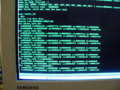
No TPM today. Unhandled BIOS calls waiting for code
-
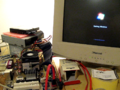
ASUS M2V-MX SE and Starting Windows animation
-
Login screen
-
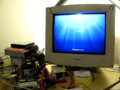
Welcome screen
-
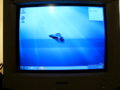
Desktop
-
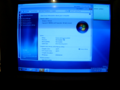
System Information
-
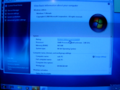
System Information closeup


Chaos Communication Congress 2008 (25C3): coreboot: Beyond The Final Frontier
Peter Stuge presented coreboot: Beyond The Final Frontier at the 25th Chaos Communication Congress (25C3).
- Video recordings: H.264 720x576, 390MB, H.264 720x576, 390MB (torrent), H.264 320x240, 152MB
- Audio recordings: OGG, 20MB, MP3, 23MB
- Slides: 1244_25c3_coreboot_slides.zip
Google Tech Talks 2008: coreboot (aka LinuxBIOS): The Free/Open-Source x86 Firmware
-
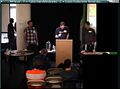
Intro
-
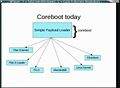
coreboot today
-
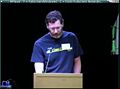
Ron Minnich
-
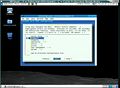
make menuconfig
-
Peter Stuge
-
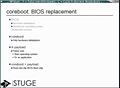
BIOS replacement
-
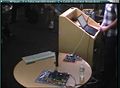
Demo setup
-
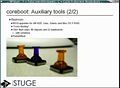
Push pin chips
-
tint demo
-
Stefan Reinauer
-
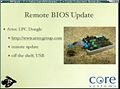
Remote BIOS update I
-
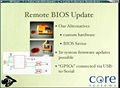
Remote BIOS update II


FSCONS coreboot talk
FOSDEM 2007 LinuxBIOS-talk
- There's a video recording of Ron Minnich's LinuxBIOS talk (OGG, 234 MB) from FOSDEM 2007 — Ron gives important tech insights - excellent newbie briefing.
-
Intro.
-
Who uses it?
-
Why Linux as BIOS?
-
EFI, the "DRM BIOS".
-
Linux-as-BIOS, Linux-as-bootloader.
-
LinuxBIOS in 1999.
-
LinuxBIOS in 2002.
-
Remote BIOS updates.
-
Automated test system.
-
Test reports.
-
LinuxBIOS version 3.


Chaos Communication Congress 2006 LinuxBIOS Lightning Talk
- There's a video recording of Peter Stuge's LinuxBIOS Lightning Talk (OGG, 23 MB, 7:16) from Chaos Communication Congress 2006 — Peter tries to rush through everything important about LinuxBIOS in five minutes, demo included. Peter's slides are also available.
-
Intro.
-
Use cases.
-
LinuxBIOSv3 plans.


OLPC booting with LinuxBIOS
-
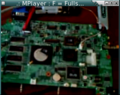
The OLPC board.
-
The boot splash screen.
-
LinuxBIOS booting.


Peter Stuge's car MP3 player
-
The car MP3 player.
-
LinuxBIOS booting, serial console on the attached laptop.


LinuxBIOS with X Server Inside
- LinuxBIOS with X Server Inside — LinuxBIOS with X Server (Kdrive, formely TinyX) inside a 2MB BIOS flash memory (no hard drive required).
- Another (better quality) version of the video in Ogg Theora is available here (9.7 MB).
- A HOWTO for this setup is available, too.
-
Intro screen.
-
The hardware.
-
LinuxBIOS + Linux booting (six seconds to Busybox).
-
rxvt in a minimal X-Server (Kdrive)


Screenshots and Photos
General
-
The first LinuxBIOS cluster, Ed.
-
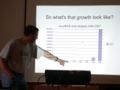
More than a million devices already run on coreboot!


Sample hardware on which coreboot can run
-
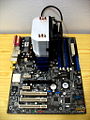
ASUS A8V-E Deluxe desktop mainboard.
-
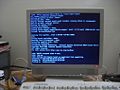
The Televideo TC7020 thin client.
-
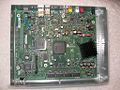
RCA RM4100 set-top-box.
-
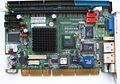
IEI LX 800 SBC.
-
A car MP3 player (EPIA board).
-
coreboot on an early OLPC devel board.


Various coreboot payloads


There are also a few more photos/screenshots on Google Image Search.